Ashish Ashu
Portfolio
About

TOP RATED PLUS UIUX DESIGNER
UI/UXDesign
For AI-Native
Products.
I help startups and product teams turn complex, data-heavy workflows into experiences users actually want to use. 5+ years. 60+ products shipped.


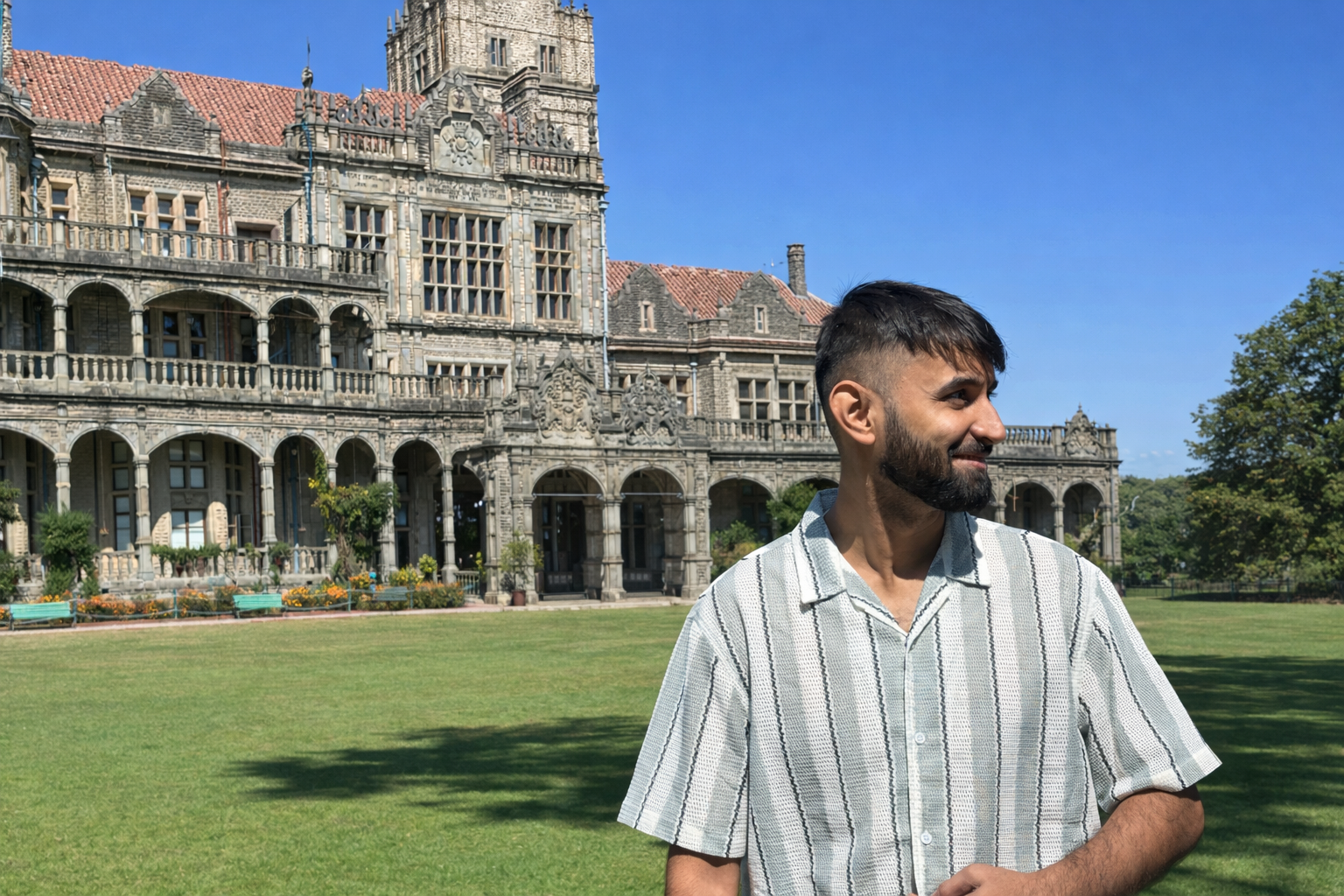
Senior UI/UX & product Designer
AI-Native Design
SaaS
Dashboard
Figma
Claude
JOB SUCCESS RATE
100%
TOTAL HOURS WORKED
8k+
PROJECTS DELIVERED
60+
Experience
5+ Years
Selected Work
Every project starts with a problem — sometimes users feel overwhelmed, sometimes the interface is confusing, or sometimes the product simply isn’t guiding users clearly enough. My role is to identify those friction points and design solutions that make the product easier and more enjoyable to use.
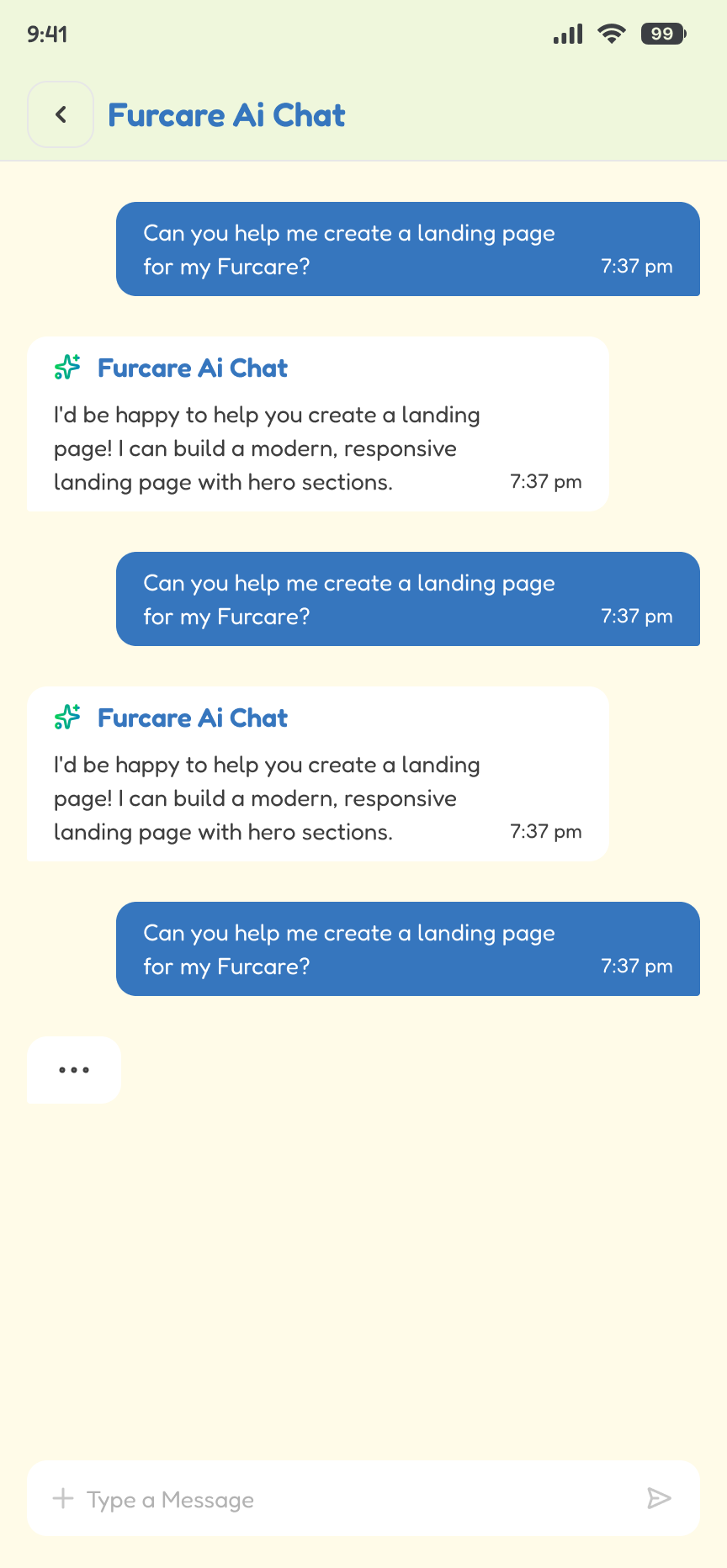
FurCare AI
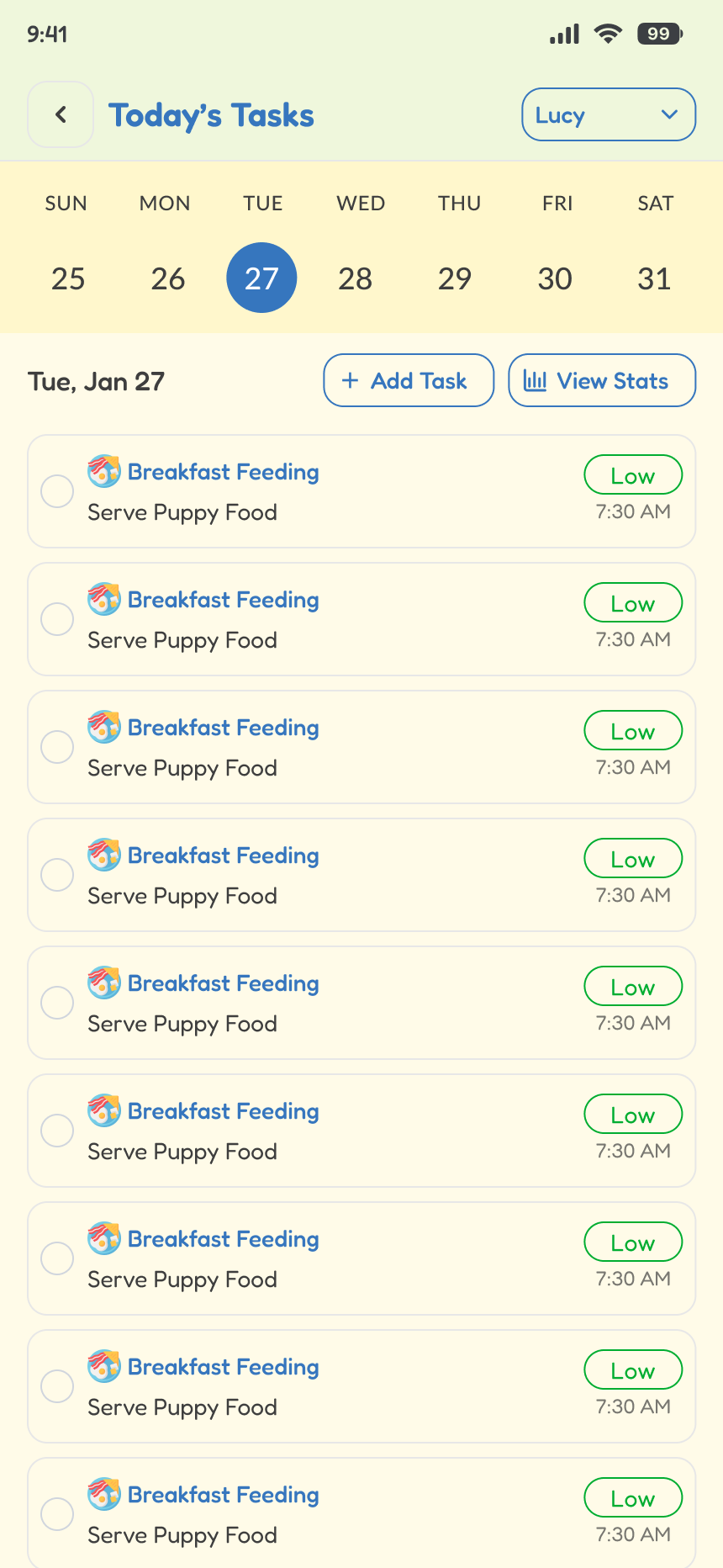
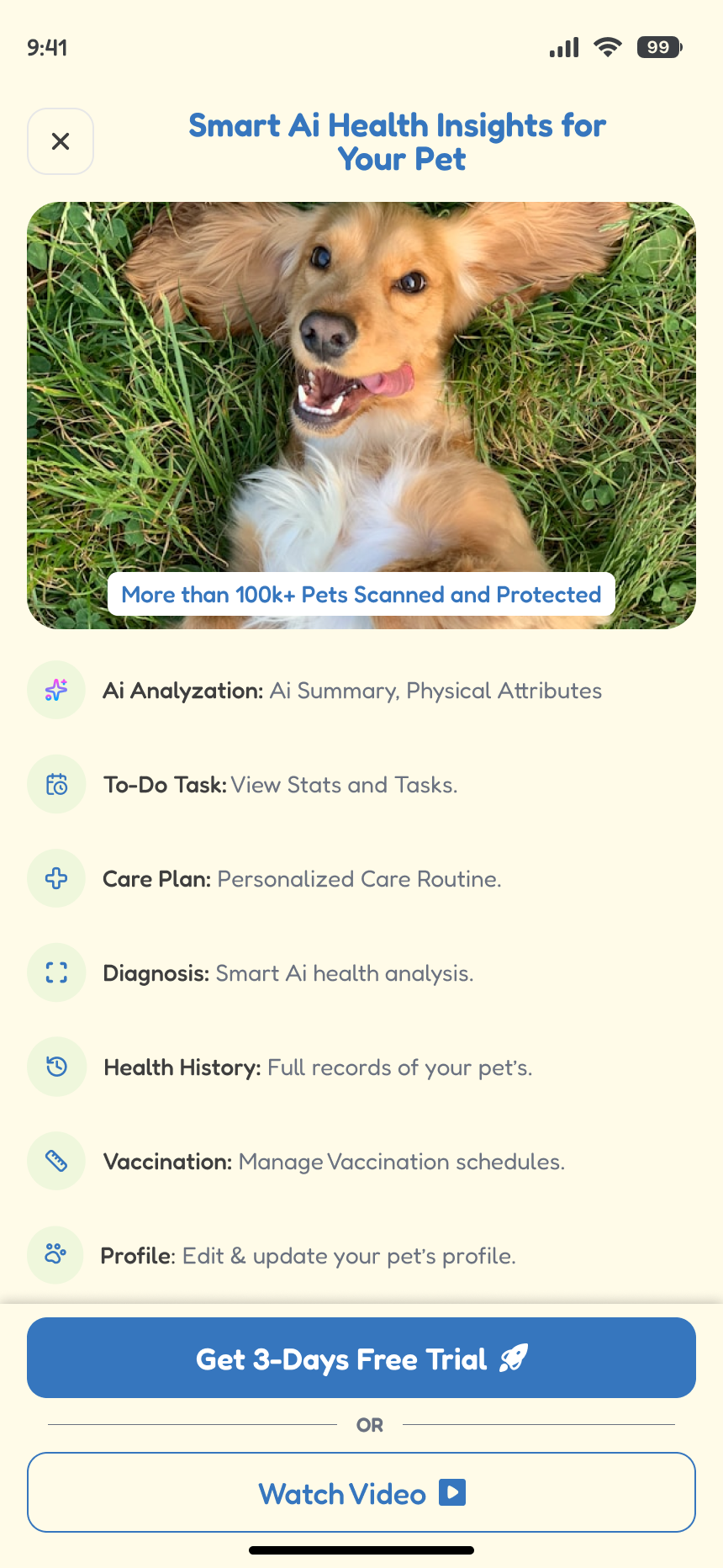
Designed an AI-powered pet care platform that helps pet parents manage health, routines, and records in one unified experience.
ROLE
Product Design Lead
TOOLS
Figma, Google Stitch
Design Impact
- +1000 subscription since I created the new designs.
- -35% reduction in user anxiety by simplifying health insights into clear, actionable recommendations
- Reduced dependency on external tools (notes, memory, vet records) by consolidating everything into one platform
View Design
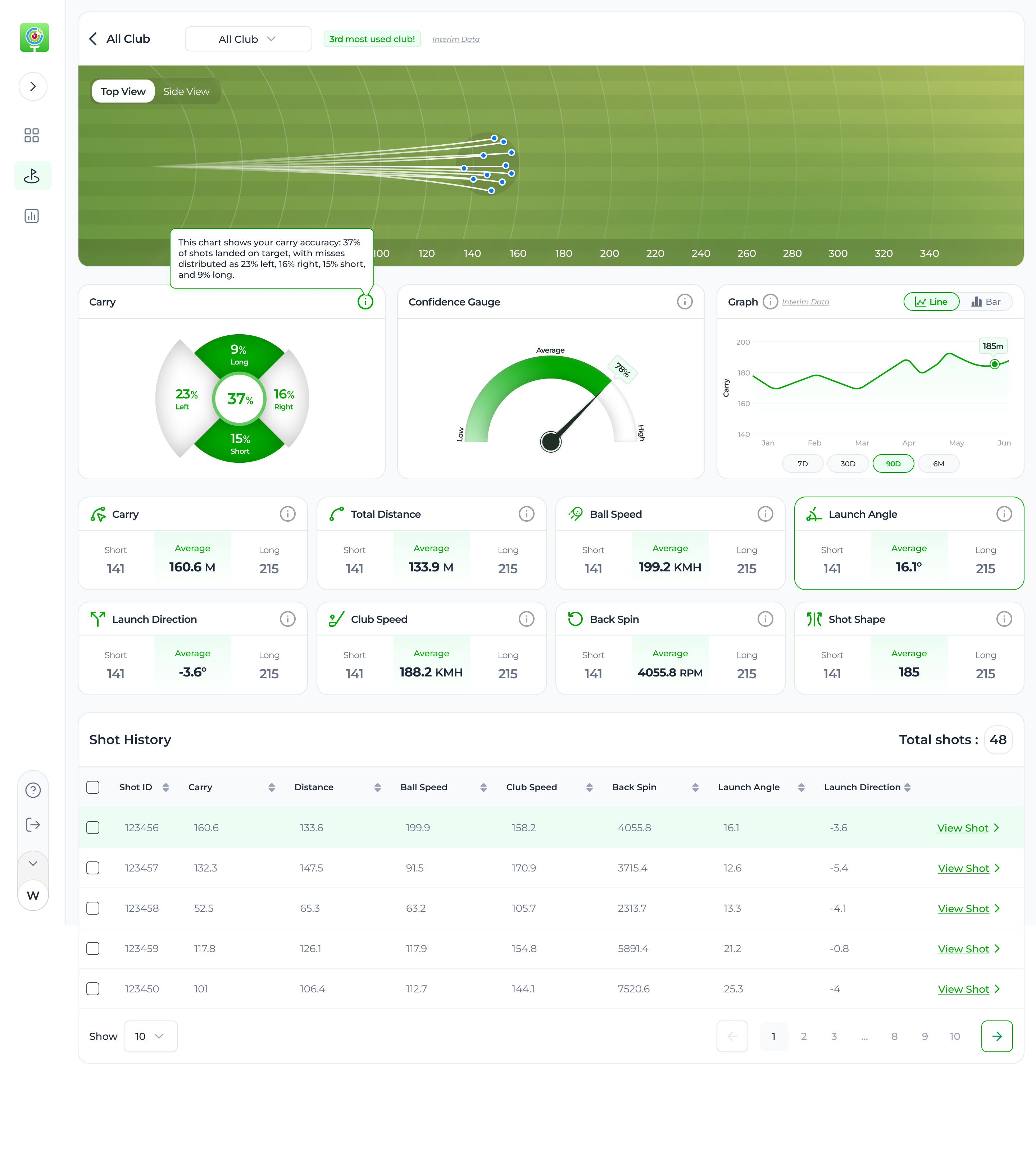
GolfTrak
Designed a gamified fitness ecosystem that combines activity tracking, rewards, and community engagement into a single seamless experience.
ROLE
UIUX Designer
TOOLS
Figma
Design Impact
- +28% increase in daily active users (DAU) driven by gamified elements like rewards, challenges, and streaks
- Reduced friction in ecosystem integration (insurance, gym, wearable devices), improving overall usability
- +16% higher retention rate through habit-building features like step tracking and daily vitals
View Design
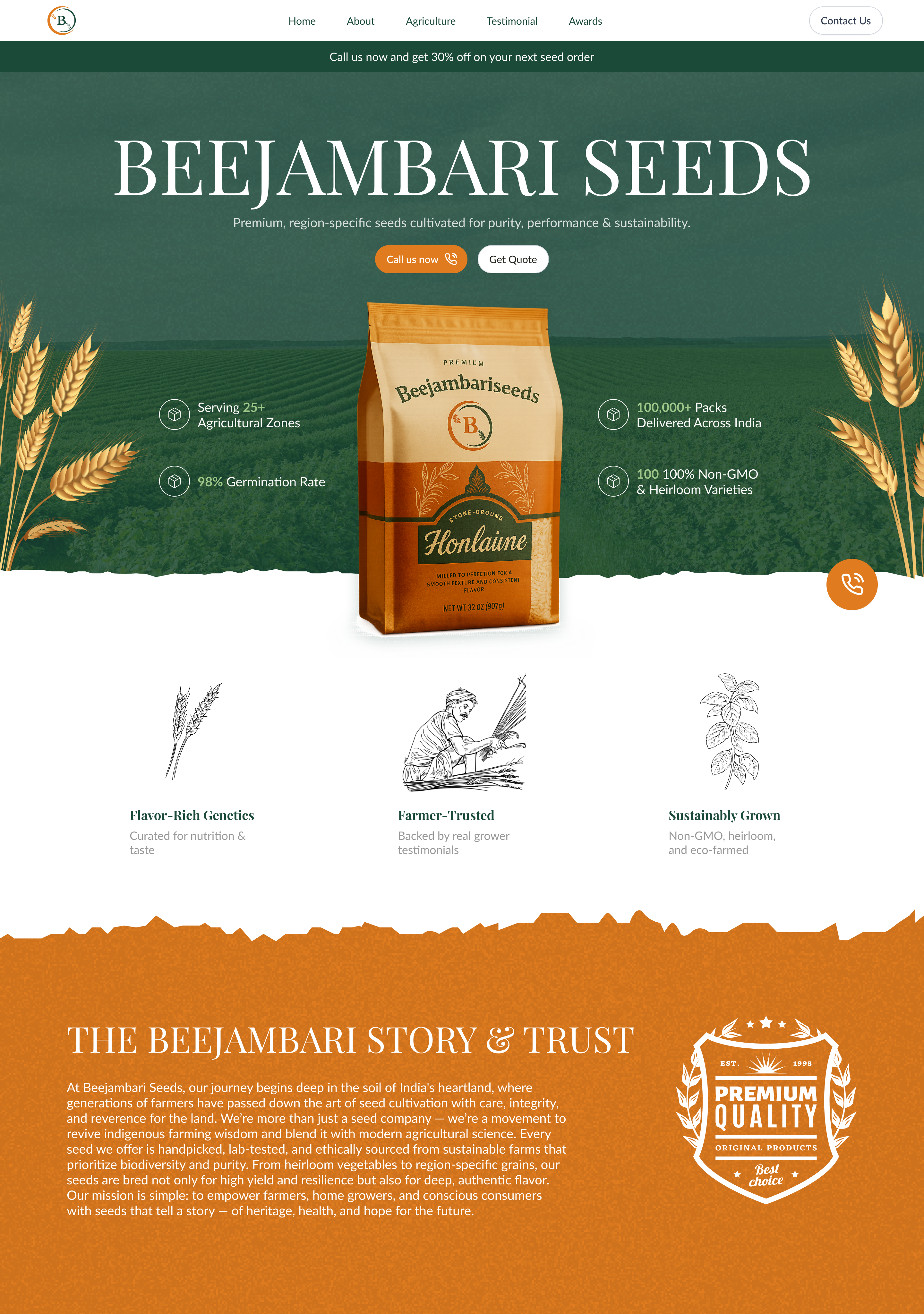
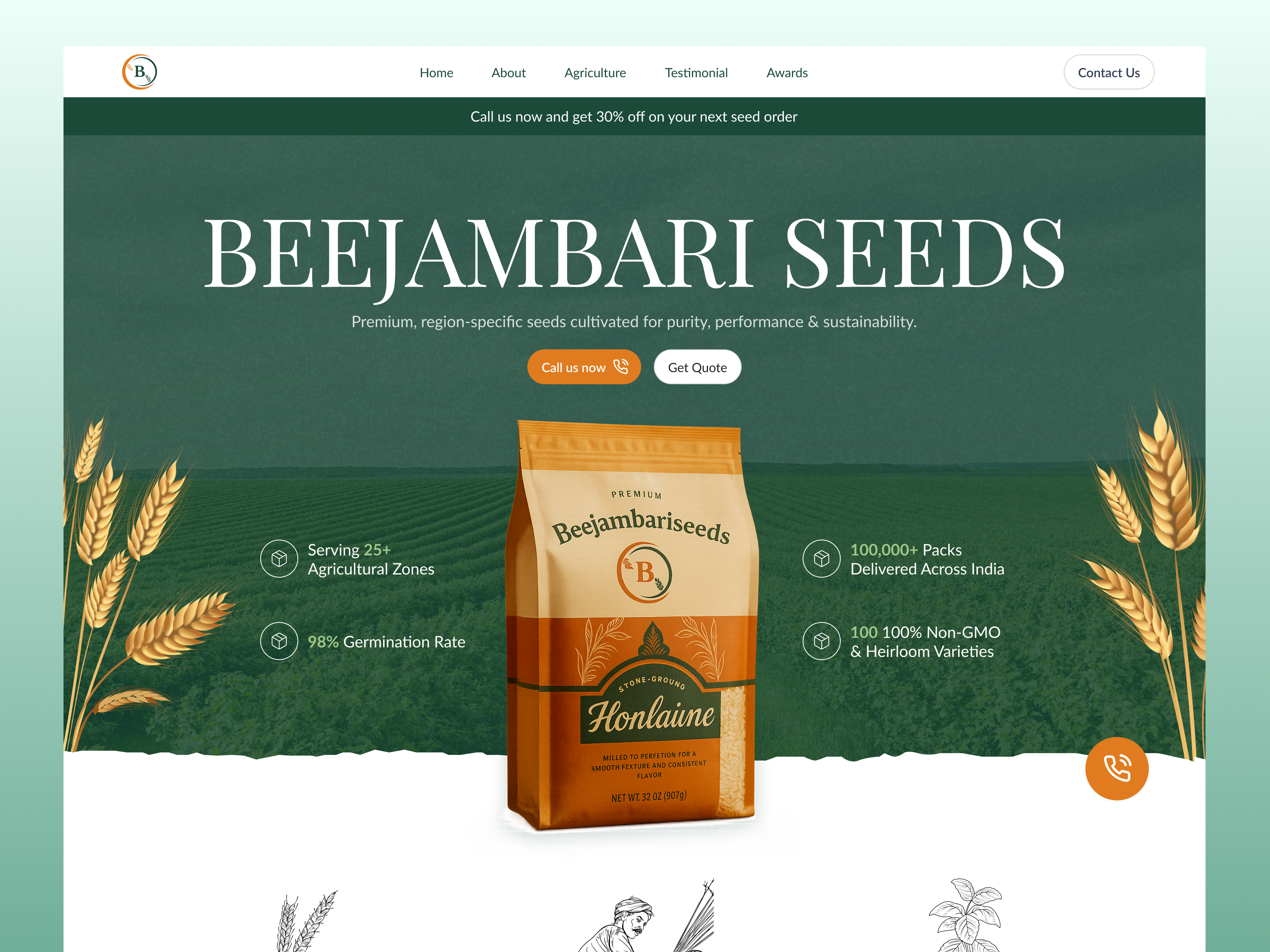
Beejambari Seeds
Redesigned a wine e-commerce platform to simplify product discovery and help users evaluate wines faster.
ROLE
UIUX Designer
Tools
Figma
Design Impact
- 10% Increase in sales
- More clicks on “Add to Cart” Button
- Product information is easier to scan
View Design
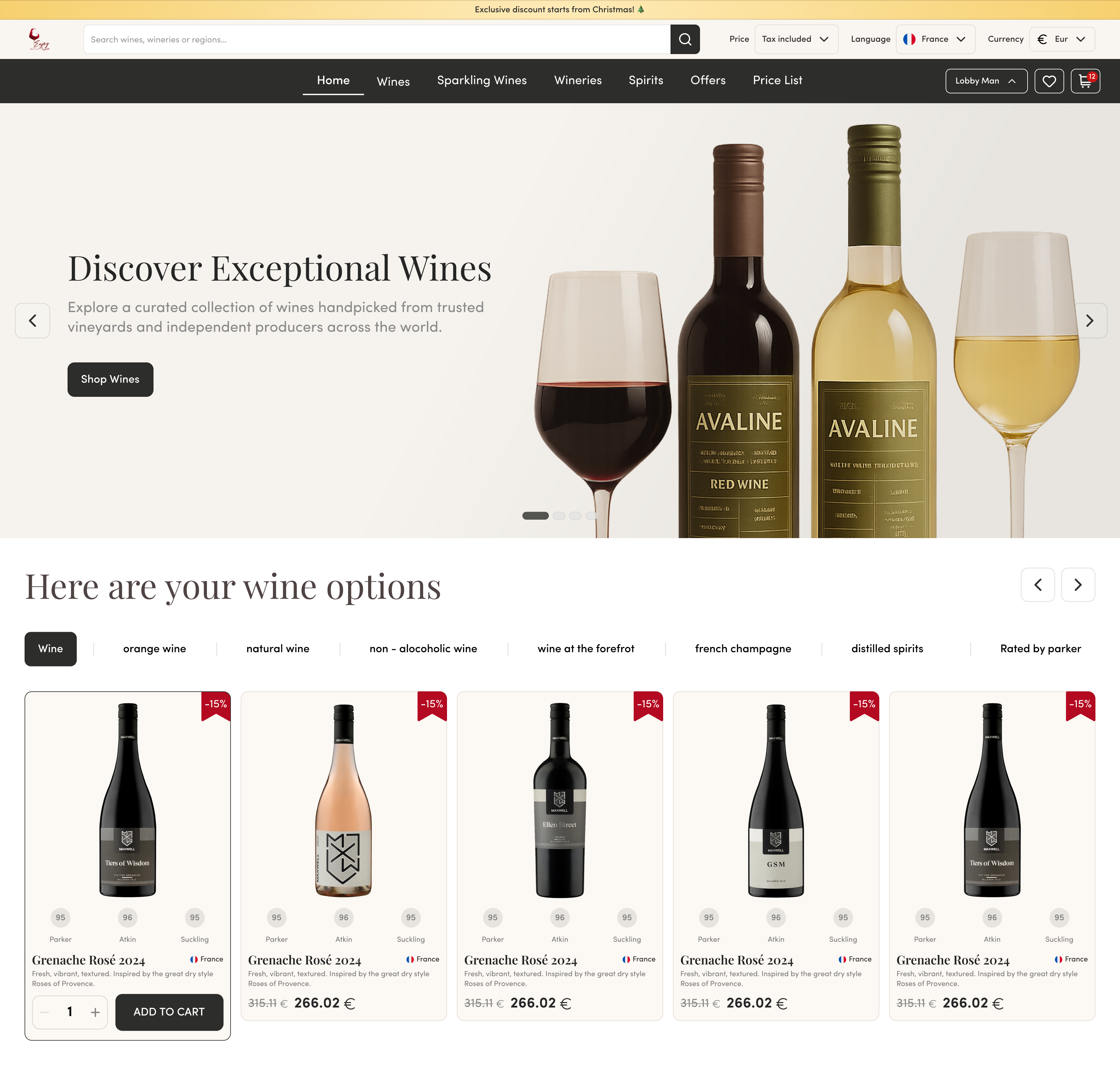
EnjoyWine
Redesigned a wine e-commerce platform to simplify product discovery and help users evaluate wines faster.
ROLE
AI Product Designer
TOOLS
Figma, AI
Design Impact
- 10% Increase in sales
- Product discovery became more intuitive
- More clicks on “Add to Cart” Button
- Product information is easier to scan
View Design
My Design Process
Every project is different, but my approach usually follows a simple principle:
Understand the problem first, design the solution second.
Before jumping into UI design, I try to understand the product, the users, and the challenges the business is facing.
01
Discovery
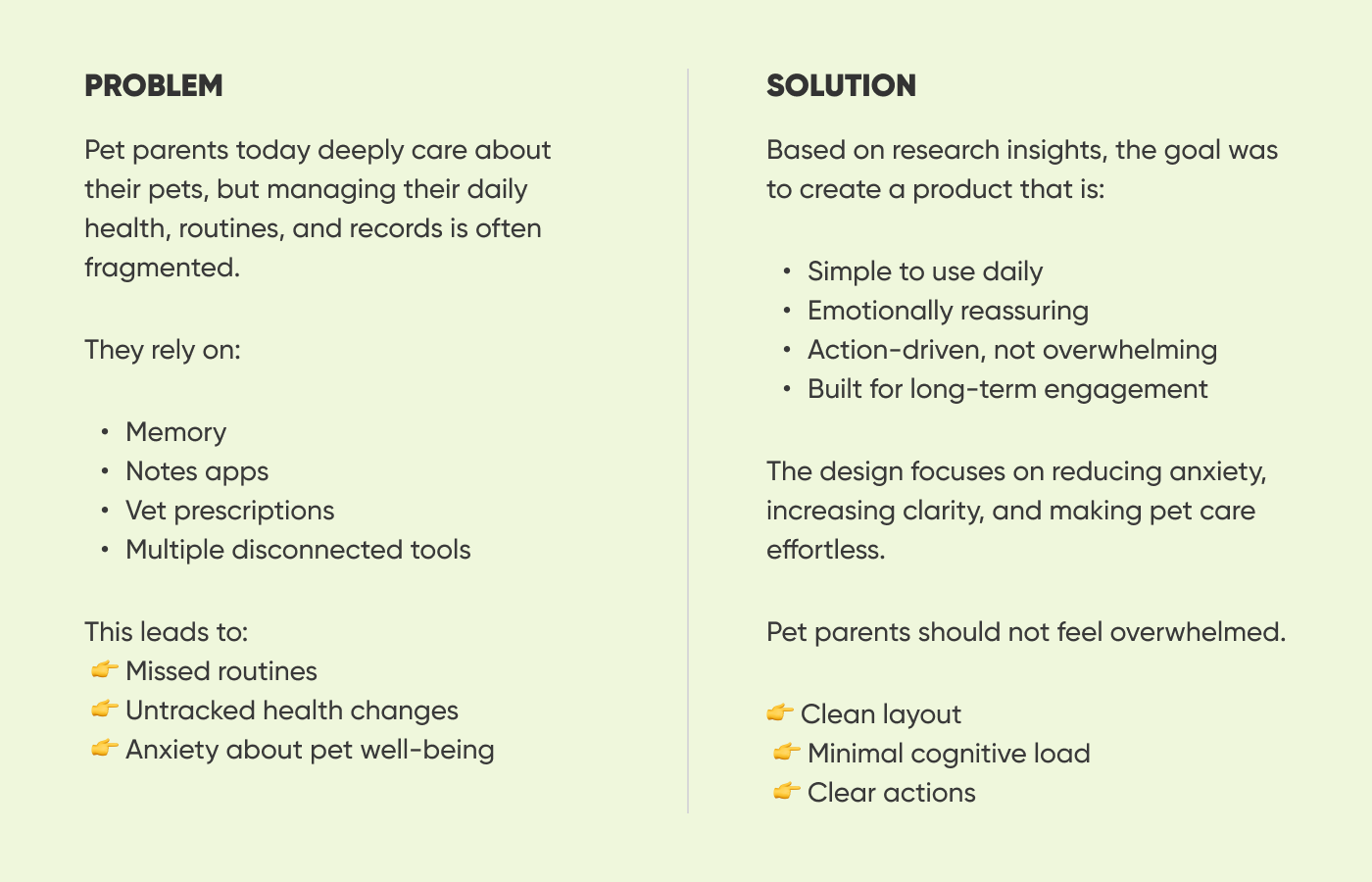
I start by learning about the product and the goals behind it.
What problem are we trying to solve?Who are the users?What part of the experience is causing friction?
Understanding these things helps guide every design decision later.
02
Research & Analysis
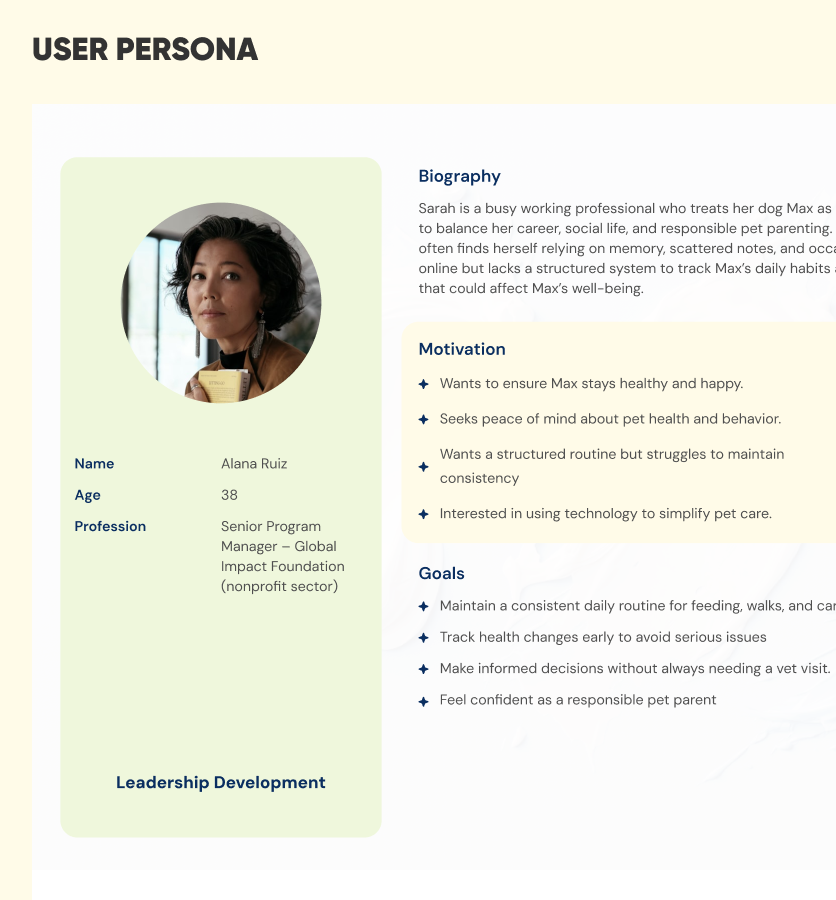
At this stage I look at how users interact with the product and what might be slowing them down.
This often includes:
• reviewing existing product flows • exploring competitor products • identifying confusing or inefficient interactions
03
Ideate & Design
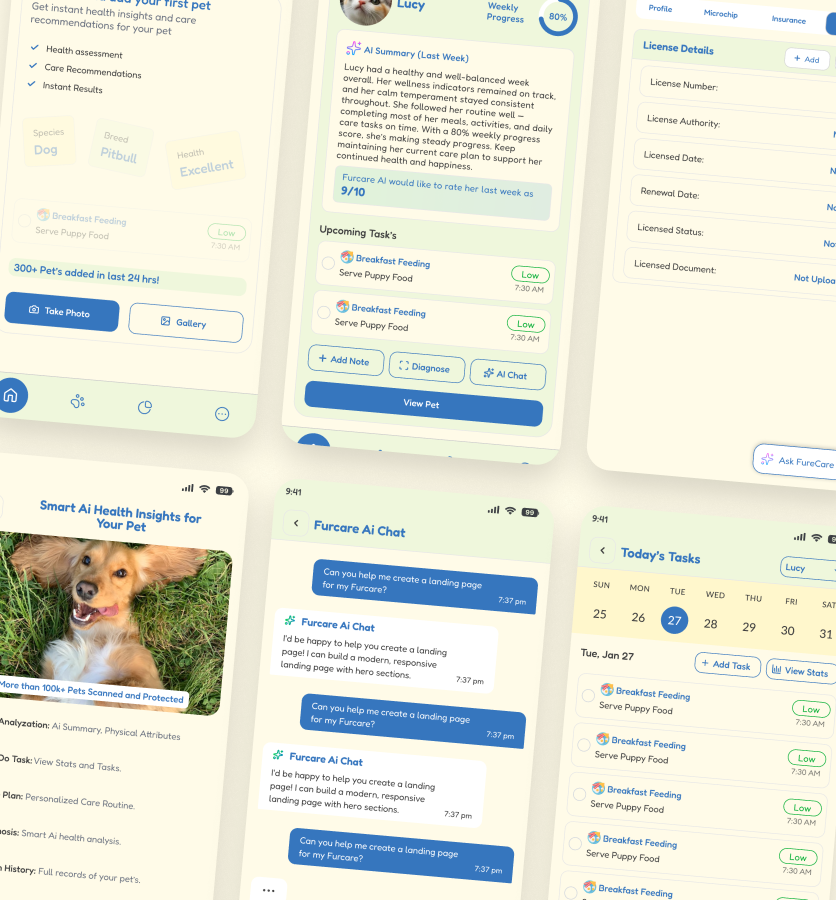
I create:
• user flows • information structure • simplified workflows
Once the structure is clear, I move into designing the interface.
My focus here is on clarity and usability:
• making important information easy to see • guiding users toward the right actions • creating a clean and scalable design system
04
Test
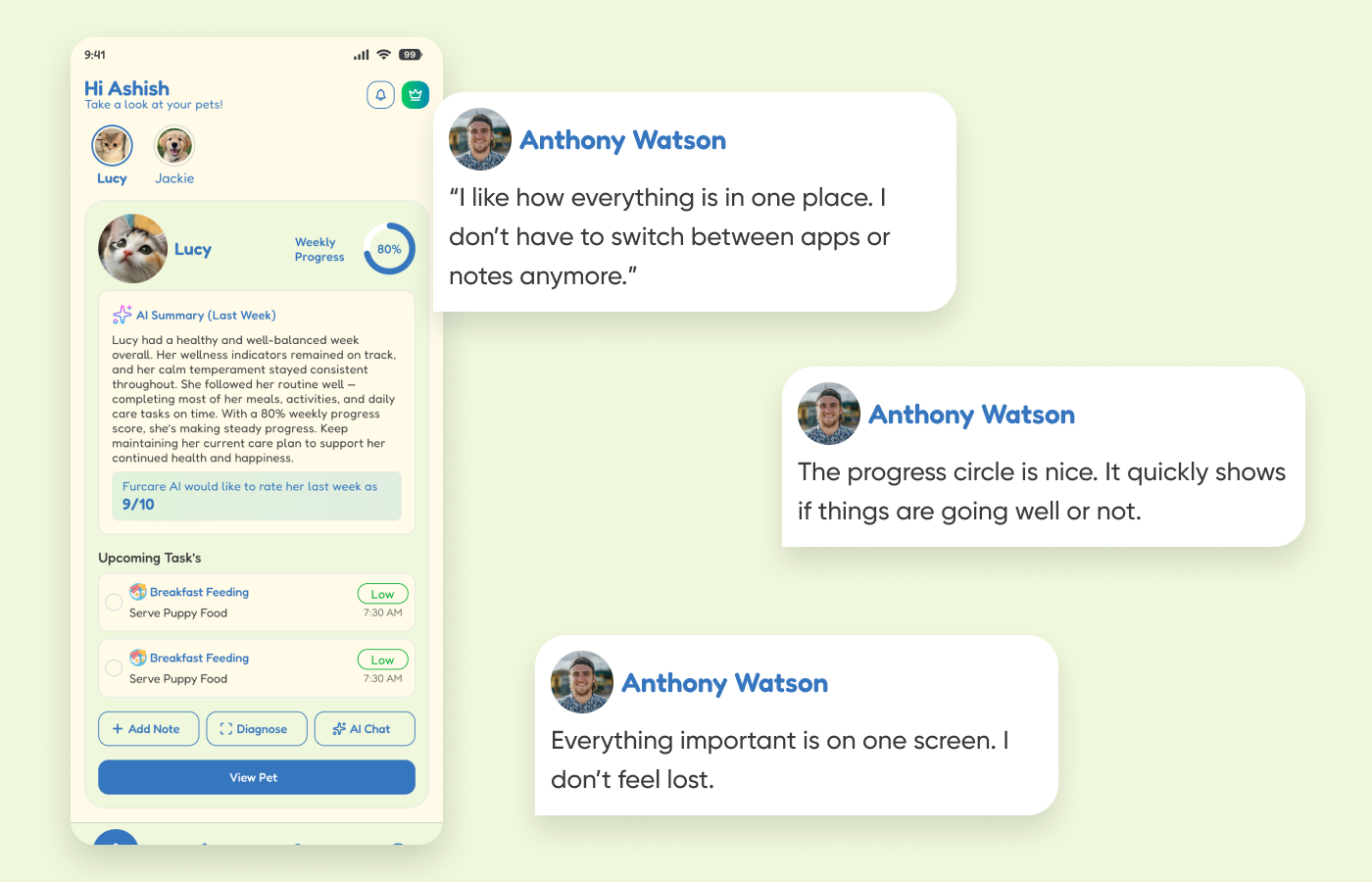
Before finalizing the design, I take a step back and evaluate how it actually works from a user’s perspective.
At this stage, I review the flows, interactions, and key screens to identify anything that might cause confusion or friction.
I often test scenarios like:
• Can a user complete the main task without hesitation? • Is the navigation intuitive without explanation? • Are important actions easy to find and understand?
Based on these observations, I refine the design to make the experience smoother, clearer, and more intuitive.
Design Systems
When products grow, maintaining consistency becomes important.
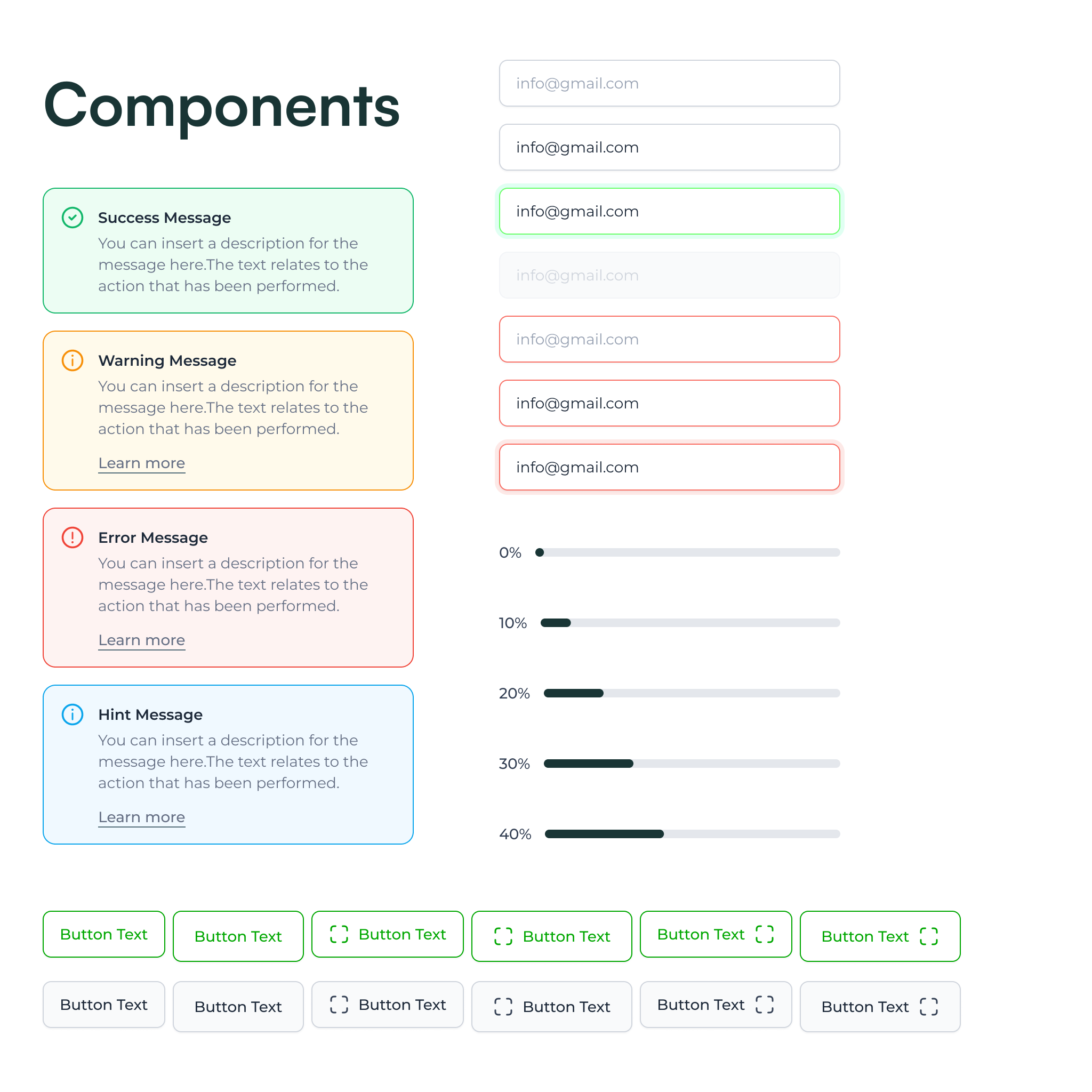
That’s why I often design reusable components and design systems that help keep the interface organized and scalable.
Instead of designing each screen from scratch, a component system allows the product to evolve faster while staying visually consistent.
Contact Me
AI-Enhanced Workflow
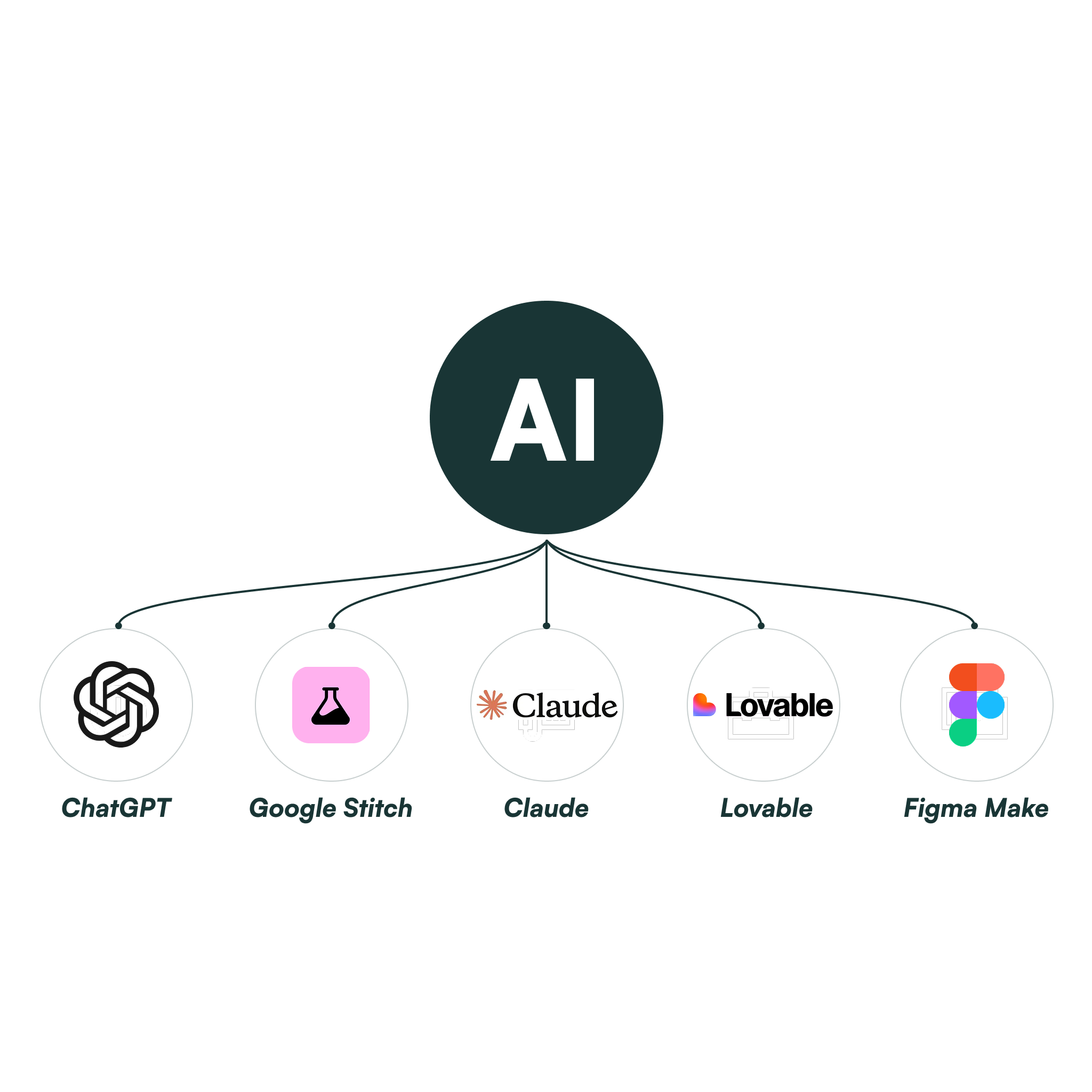
AI has become a helpful part of my design workflow.
I use it mainly to explore ideas faster, generate layout variations, and accelerate parts of the design process that would otherwise take longer.
This allows me to spend more time focusing on solving the actual design problem.
Contact Me
Testimonials
Over the years I’ve had the opportunity to work with startups and product teams across different industries.

UIUX Designer Needed
“If you need a Figma designer who thinks like a developer and delivers files your team can build from immediately, I highly recommend Ashish."
LivWell
Product Designer for a SaaS platform
“Extremely friendly - thank you for all your work!”
Alchemist Accelerator
UI/UX Designer for AI Educational Platform
“Ashish was very good with Figma and modern web application design. He is also creative and can come up with his own visions if given a brief description.”
EPIST
FIGMA DESIGNER
"Really enjoyed engaging with Ashish to produce high-fidelity conceptual interface design for the early stages of a complex platform."
Govspace
FIGMA CRO Designer
“Ashish did an excellent job rebuilding our website pages in Figma with a truly developer-friendly, systemized approach.”
DWP Panels
UIUX DESIGNER
“I've been working with 15 different freelancers the last 13 years. Ashish is different - because he has critical thinking.”
KUVVR
Contact Me
If you're building a product and feel the user experience could be clearer, simpler, or easier to navigate,
I’d love to hear about it.
Feel free to reach out and tell me about your project.
@2026 ALL RIGHTS RESERVED

TOP RATED PLUS UIUX DESIGNER
UI/UXDesign
For AI-Native
Products.
I help startups and product teams turn complex, data-heavy workflows into experiences users actually want to use. 5+ years. 60+ products shipped.
Senior UI/UX & product Designer
AI-Native Design
SaaS
Dashboard
Figma
Claude
JOB SUCCESS RATE
100%
TOTAL HOURS WORKED
8k+
PROJECTS DELIVERED
60+
Experience
5+ Years
Selected Work
Every project starts with a problem — sometimes users feel overwhelmed, sometimes the interface is confusing, or sometimes the product simply isn’t guiding users clearly enough. My role is to identify those friction points and design solutions that make the product easier and more enjoyable to use.
FurCare AI
Designed an AI-powered pet care platform that helps pet parents manage health, routines, and records in one unified experience.
ROLE
Product Design Lead
TOOLS
Figma, Google Stitch
Design Impact
- +1000 subscription since I created the new designs.
- -35% reduction in user anxiety by simplifying health insights into clear, actionable recommendations
- Reduced dependency on external tools (notes, memory, vet records) by consolidating everything into one platform
View Design
GolfTrak
Designed a gamified fitness ecosystem that combines activity tracking, rewards, and community engagement into a single seamless experience.
ROLE
UIUX Designer
TOOLS
Figma
Design Impact
- +28% increase in daily active users (DAU) driven by gamified elements like rewards, challenges, and streaks
- Reduced friction in ecosystem integration (insurance, gym, wearable devices), improving overall usability
- +16% higher retention rate through habit-building features like step tracking and daily vitals
View Design
EnjoyWine
Redesigned a wine e-commerce platform to simplify product discovery and help users evaluate wines faster.
ROLE
AI Product Designer
TOOLS
Figma, AI
Design Impact
- 10% Increase in sales
- Product discovery became more intuitive
- More clicks on “Add to Cart” Button
- Product information is easier to scan
View Design
Beejambari Seeds
Redesigned a wine e-commerce platform to simplify product discovery and help users evaluate wines faster.
ROLE
UIUX Designer
Tools
Figma
Design Impact
- 10% Increase in sales
- More clicks on “Add to Cart” Button
- Product information is easier to scan
View Design
My Design Process
Every project is different, but my approach usually follows a simple principle:
Understand the problem first, design the solution second.
Before jumping into UI design, I try to understand the product, the users, and the challenges the business is facing.
01
Discovery
I start by learning about the product and the goals behind it.
What problem are we trying to solve?Who are the users?What part of the experience is causing friction?
Understanding these things helps guide every design decision later.
02
Research & Analysis
At this stage I look at how users interact with the product and what might be slowing them down.
This often includes:
• reviewing existing product flows • exploring competitor products • identifying confusing or inefficient interactions
03
Ideate & Design
I create:
• user flows • information structure • simplified workflows
Once the structure is clear, I move into designing the interface.
My focus here is on clarity and usability:
• making important information easy to see • guiding users toward the right actions • creating a clean and scalable design system
04
Test
Before finalizing the design, I take a step back and evaluate how it actually works from a user’s perspective.
At this stage, I review the flows, interactions, and key screens to identify anything that might cause confusion or friction.
I often test scenarios like:
• Can a user complete the main task without hesitation? • Is the navigation intuitive without explanation? • Are important actions easy to find and understand?
Based on these observations, I refine the design to make the experience smoother, clearer, and more intuitive.
Design Systems
When products grow, maintaining consistency becomes important.
That’s why I often design reusable components and design systems that help keep the interface organized and scalable.
Instead of designing each screen from scratch, a component system allows the product to evolve faster while staying visually consistent.
Contact Me
AI-Enhanced Workflow
AI has become a helpful part of my design workflow.
I use it mainly to explore ideas faster, generate layout variations, and accelerate parts of the design process that would otherwise take longer.
This allows me to spend more time focusing on solving the actual design problem.
Contact Me
Testimonials
Over the years I’ve had the opportunity to work with startups and product teams across different industries.
UIUX Designer Needed
“If you need a Figma designer who thinks like a developer and delivers files your team can build from immediately, I highly recommend Ashish."
LivWell
Product Designer for a SaaS platform
“Extremely friendly - thank you for all your work!”
Alchemist Accelerator
UI/UX Designer for AI Educational Platform
“Ashish was very good with Figma and modern web application design. He is also creative and can come up with his own visions if given a brief description.”
EPIST
FIGMA DESIGNER
"Really enjoyed engaging with Ashish to produce high-fidelity conceptual interface design for the early stages of a complex platform."
Govspace
FIGMA CRO Designer
“Ashish did an excellent job rebuilding our website pages in Figma with a truly developer-friendly, systemized approach.”
DWP Panels
UIUX DESIGNER
“I've been working with 15 different freelancers the last 13 years. Ashish is different - because he has critical thinking.”
KUVVR
Contact Me
If you're building a product and feel the user experience could be clearer, simpler, or easier to navigate,
I’d love to hear about it.
Feel free to reach out and tell me about your project.
@2026 ALL RIGHTS RESERVED
TOP RATED PLUS UIUX DESIGNER
UI/UXDesign
For AI-Native
Products.
I help startups and product teams turn complex, data-heavy workflows into experiences users actually want to use. 5+ years. 60+ products shipped.
Ashish Ashu
Senior UI/UX & product Designer
AI-Native Design
SaaS
Dashboard
Figma
Claude
JOB SUCCESS RATE
100%
TOTAL HOURS WORKED
8k+
PROJECTS DELIVERED
60+
Experience
5+ Years
Selected Work
Every project starts with a problem — sometimes users feel overwhelmed, sometimes the interface is confusing, or sometimes the product simply isn’t guiding users clearly enough. My role is to identify those friction points and design solutions that make the product easier and more enjoyable to use.
FurCare AI
Designed an AI-powered pet care platform that helps pet parents manage health, routines, and records in one unified experience.
ROLE
Product Design Lead
TOOLS
Figma, Google Stitch
Design Impact
- +1000 subscription since I created the new designs.
- -35% reduction in user anxiety by simplifying health insights into clear, actionable recommendations
- Reduced dependency on external tools (notes, memory, vet records) by consolidating everything into one platform
View Design
GolfTrak
Designed a gamified fitness ecosystem that combines activity tracking, rewards, and community engagement into a single seamless experience.
ROLE
UIUX Designer
TOOLS
Figma
Design Impact
- +28% increase in daily active users (DAU) driven by gamified elements like rewards, challenges, and streaks
- Reduced friction in ecosystem integration (insurance, gym, wearable devices), improving overall usability
- +16% higher retention rate through habit-building features like step tracking and daily vitals
View Design
EnjoyWine
Redesigned a wine e-commerce platform to simplify product discovery and help users evaluate wines faster.
ROLE
AI Product Designer
TOOLS
Figma, AI
Design Impact
- 10% Increase in sales
- Product discovery became more intuitive
- More clicks on “Add to Cart” Button
- Product information is easier to scan
View Design
Beejambari Seeds
Redesigned a wine e-commerce platform to simplify product discovery and help users evaluate wines faster.
ROLE
UIUX Designer
Tools
Figma
Design Impact
- 10% Increase in sales
- More clicks on “Add to Cart” Button
- Product information is easier to scan
View Design
My Design Process
Every project is different, but my approach usually follows a simple principle:
Understand the problem first, design the solution second.
Before jumping into UI design, I try to understand the product, the users, and the challenges the business is facing.
01
Discovery
I start by learning about the product and the goals behind it.
What problem are we trying to solve?Who are the users?What part of the experience is causing friction?
Understanding these things helps guide every design decision later.
02
Research & Analysis
At this stage I look at how users interact with the product and what might be slowing them down.
This often includes:
• reviewing existing product flows • exploring competitor products • identifying confusing or inefficient interactions
03
Ideate & Design
I create:
• user flows • information structure • simplified workflows
Once the structure is clear, I move into designing the interface.
My focus here is on clarity and usability:
• making important information easy to see • guiding users toward the right actions • creating a clean and scalable design system
04
Test
Before finalizing the design, I take a step back and evaluate how it actually works from a user’s perspective.
At this stage, I review the flows, interactions, and key screens to identify anything that might cause confusion or friction.
I often test scenarios like:
• Can a user complete the main task without hesitation? • Is the navigation intuitive without explanation? • Are important actions easy to find and understand?
Based on these observations, I refine the design to make the experience smoother, clearer, and more intuitive.
Design Systems
When products grow, maintaining consistency becomes important.
That’s why I often design reusable components and design systems that help keep the interface organized and scalable.
Instead of designing each screen from scratch, a component system allows the product to evolve faster while staying visually consistent.
Contact Me
AI-Enhanced Workflow
AI has become a helpful part of my design workflow.
I use it mainly to explore ideas faster, generate layout variations, and accelerate parts of the design process that would otherwise take longer.
This allows me to spend more time focusing on solving the actual design problem.
Contact Me
Testimonials
Over the years I’ve had the opportunity to work with startups and product teams across different industries.
UIUX Designer Needed
“If you need a Figma designer who thinks like a developer and delivers files your team can build from immediately, I highly recommend Ashish."
LivWell
Product Designer for a SaaS platform
“Extremely friendly - thank you for all your work!”
Alchemist Accelerator
UI/UX Designer for AI Educational Platform
“Ashish was very good with Figma and modern web application design. He is also creative and can come up with his own visions if given a brief description.”
EPIST
FIGMA DESIGNER
"Really enjoyed engaging with Ashish to produce high-fidelity conceptual interface design for the early stages of a complex platform."
Govspace
FIGMA CRO Designer
“Ashish did an excellent job rebuilding our website pages in Figma with a truly developer-friendly, systemized approach.”
DWP Panels
UIUX DESIGNER
“I've been working with 15 different freelancers the last 13 years. Ashish is different - because he has critical thinking.”
KUVVR
Contact Me
If you're building a product and feel the user experience could be clearer, simpler, or easier to navigate,
I’d love to hear about it.
Feel free to reach out and tell me about your project.
@2026 ALL RIGHTS RESERVED